


【干货分享】米尔NXP i.MX 91开发板移植运行IGH EtherCAT主站
描述
本文介绍了如何将IGH EtherCAT主站移植到米尔NXP i.MX 91开发板上并运行。
https://bbs.elecfans.com/jishu_2499768_1_1.html
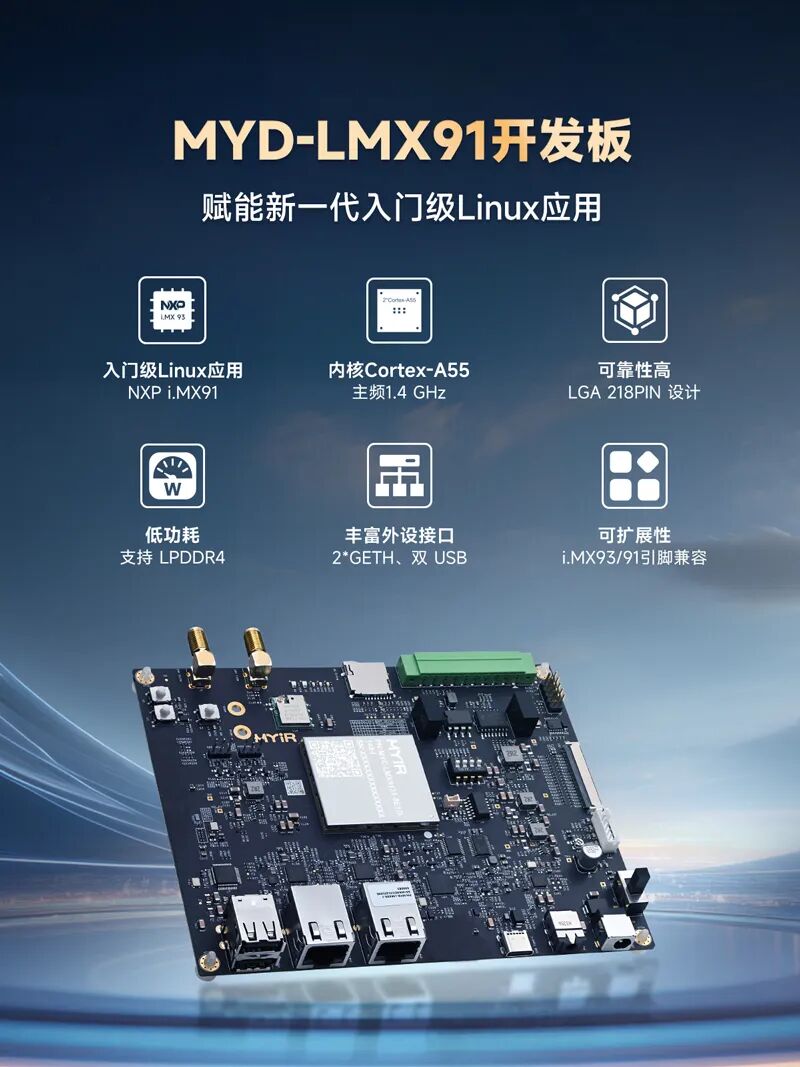
米尔基于NXP i.MX91的核心板及开发板,搭载新一代入门级NXP i.MX91处理器,内核Cortex-A55,主频高达1.4 GHz ;支持 LPDDR4 增强可靠性和平台寿命,支持双千兆以太网和双 USB 端口等丰富外设。
一、项目介绍
前面我们介绍了怎么让开发板运行在高实时性的系统环境下,让它满足工业自动化、汽车电子应用要求;米尔NXP i.MX91开发板上面集成了2路RGMII千兆以太网接口,我们可以用它来运行工业以太网通信应用。
二、IGH EtherCAT移植
1. 拉取开源IGH EtherCAT仓库
git clone https://gitlab.com/etherlab.org/ethercat.git cd ethercat source ~/myd-lmx91-toolchain/environment-setup-armv8a-poky-linux
2. 配置用户空间程序
# 运行bootstrap脚本 ./bootstrap # 配置用户空间程序 ./configure \ --host=aarch64-poky-linux \ --with-linux-dir=/home/hywing/workspace/myir-imx-linux \ --enable-8139too=no \ --enable-e100=no \ --enable-e1000=no \ --enable-e1000e=no \ --enable-igb=no \ --enable-usb=no \ --enable-generic=yes \ --enable-cycles=yes \ --enable-tool=yes \ --enable-script=yes \ --enable-rtdm=no \ --prefix=/usr/local
3. 编译驱动模块
# 编译主驱动模块:ec_generic.ko cd ../master make -C /home/hywing/workspace/myir-imx-linux M=$(pwd) modules
# 编译通用驱动模块:ec_master.ko cd ../devices make -C /home/hywing/workspace/myir-imx-linux M=$(pwd) modules
4. 安装验证
ethercat libethercat.so libethercat.a ec_generic.ko ec_master.ko ethercat.conf
三、EtherCAT配置
1. 网卡配置 :/etc/ethercat.conf。
MASTER0_DEVICE="eth0" MASTER0_BACKUP_DEVICE="eth1" MASTER0_BACKUP="eth1" MASTER0_UPDATE_MS="1" MASTER0_VIRTUAL="no"
2. 装载驱动
# 加载主驱动模块 sudo modprobe ec_master # 加载通用驱动模块 sudo modprobe ec_generic
3. 设置开发板为主站状态
./ethercat master
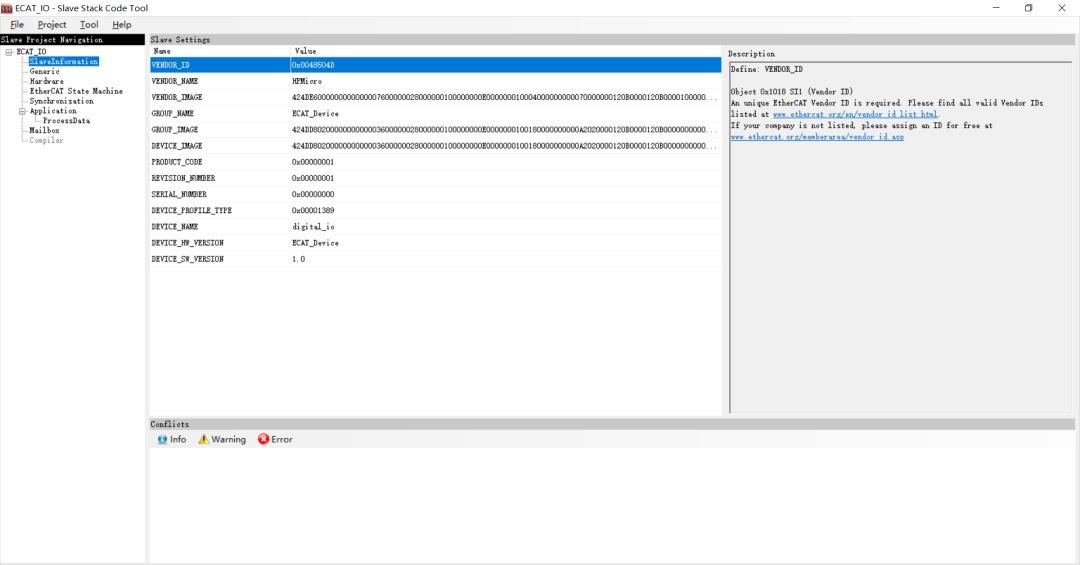
4. 获取ESC从站配置信息
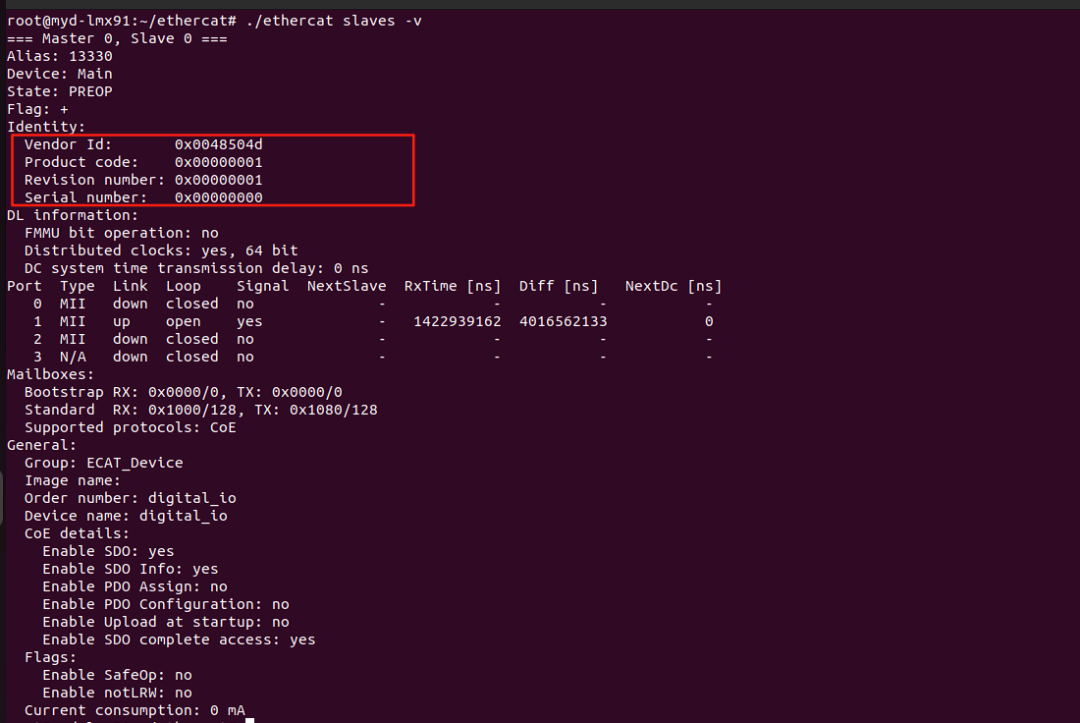
从站的配置信息跟上面是一致的,说明EtherCAT通信成功了
四、测试
1. 命令行使能ESC从站LED亮灭。
while true; do ethercat cstruct 0x7010 0x00 0x00 0x00 0x02; sleep 0.5; ethercat cstruct 0x7010 0x00 0x00 0x00 0x00; sleep 0.5; done;
-
NXP基于i.MX 91应用处理器打造的FRDM i.MX 91开发板特性参数详解2025-03-21 200919
-
新品!米尔NXP i.MX 91核心板,赋能新一代入门级Linux应用2025-05-29 3260
-
米尔NXP i.MX 91核心板发布,助力新一代入门级Linux应用开发2025-05-30 2005
-
【米尔NXP i.MX 91开发板评测】移植运行IGH EtherCAT主站2025-09-01 2951
-
【TQi.MX6UL试用申请】基于I.MX 6UL的EtherCAT从站的设计2017-06-23 2535
-
开源!ZYNQ IgH EtherCAT主站方案分享2021-10-29 5791
-
NXP开发板有哪些?基于NXP i.MX 6UL、i.MX 8M Mini、i.MX 8M Plus、LS1028A的开发板概述2023-09-15 5107
-
米尔NXP系列开发板优惠大放送2023-09-16 2025
-
i.MX Linux开发实战指南—基于野火i.MX系列开发板2024-10-10 2183
-
NXP i.MX 93 开发板#提供高效的机器学习 支持高能效的边缘计算2025-03-10 4170
-
NXP i.MX 91开发板#支持快速创建基于Linux®的边缘器件2025-05-19 3760
-
有奖丨米尔 NXP i.MX91开发板免费试用来啦2025-06-05 1649
-
既要稳定性,还要性价比的工业级开发板 — 米尔i.MX912025-11-20 3183
-
今天开奖!NXP i.MX开发板、吸尘器、定制背包免费送~2025-12-18 652
-
FRDM-i.MX 91开发板刷机指南2025-12-24 1544
全部0条评论

快来发表一下你的评论吧 !
