


ESP32驱动YX5300/6300串口MP3音乐播放模块
电子说
1.4w人已加入
描述
YX5300/6300串口MP3音乐播放模块
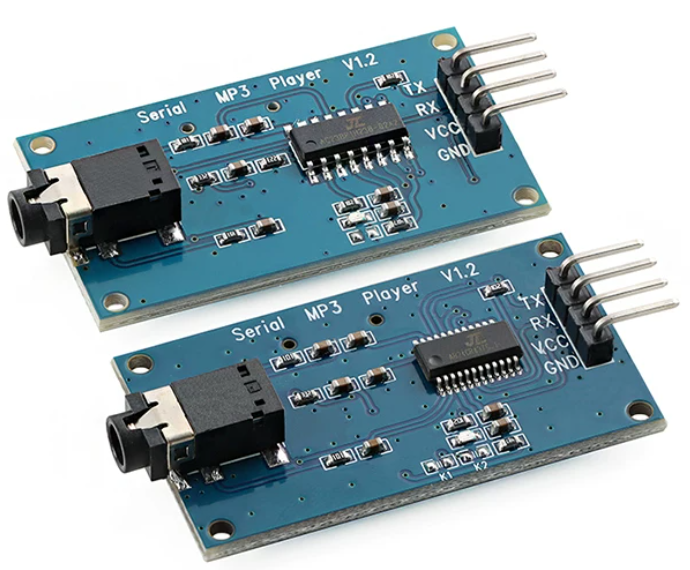
YX5300/6300串口MP3音乐播放模块集成了 MP3、WAV 的硬解码SOC。 同时软件支持工业级别的串口通信协议,以 SPIFLASH、TF 卡(FAT32/16 32GB以内)或者 U 盘作为存储介质, 用户可以灵活的选用其中的任何一种设备作为语音的存储介质。通过简单的串口指令即可完成播放指定的语音,以及如何播放语音等功能,无需繁琐的底层操作,使用方便。
参数:
- 供电电压:3.2-5.2VDC;
- 支持采样频率(KHz)::8/11.025/12/16/22.05/24/32/44.1/48;
- 支持文件格式MP3、WAV;
- 音量调节30级;
- UART串口通信接口,默认波特率9600;
- 支持DAC,可接功放,耳机;
- 模块状态指示灯:

- 通信格式:
通讯标准:9600 bps; 数据位 :1; 校验位 :none; 流控制 :none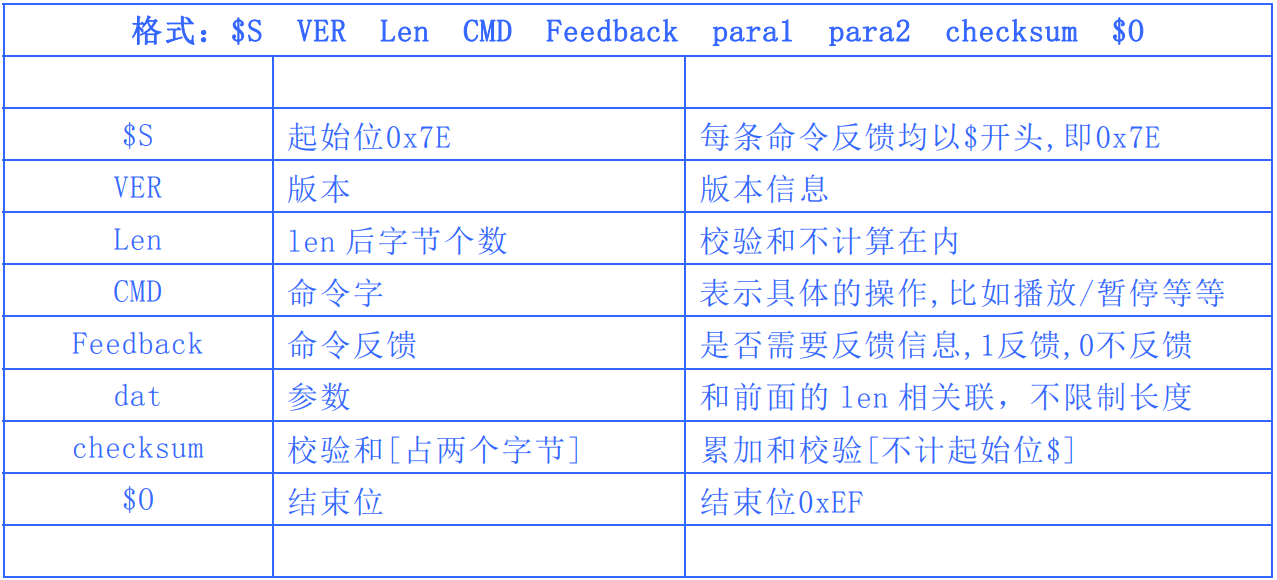
例如指定播放 SPIFLASH,就需要发送:7E FF 06 09 00 00 04 FF dd EF
数据长度为 6 ,这 6 个字节分别是[FF 06 09 00 00 04] 。不计算起始、结束、和校验。然后对得到的结果进行累加,再用 0 减,即“0-checksum=校验数据”。
ESP32与YX5300接线
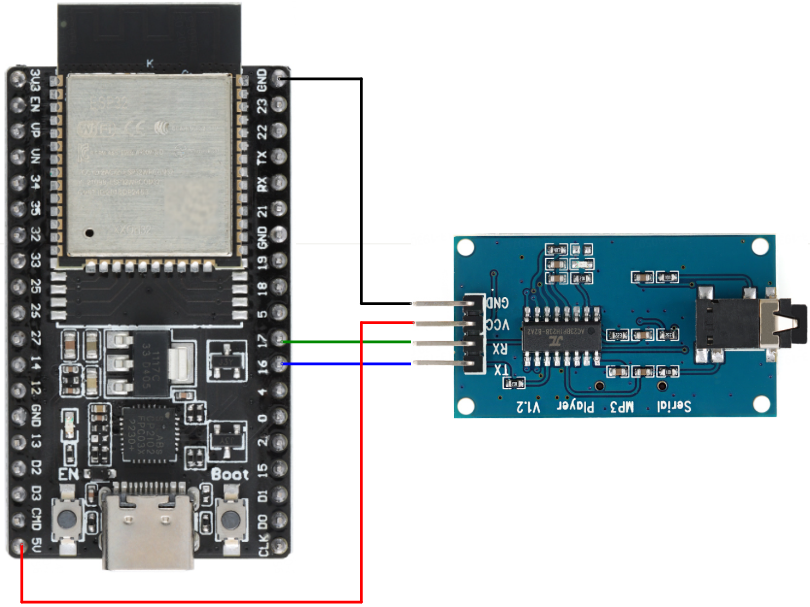
| ESP32开发板 | YX5300 |
|---|---|
| 5V | VCC |
| GND | GND |
| 17 | RX |
| 18 | TX |
MiroSD卡准备
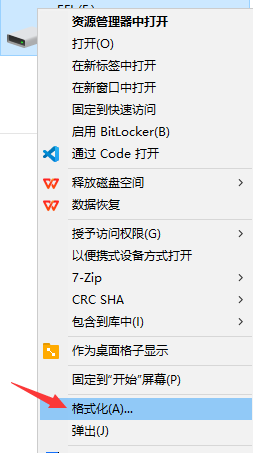
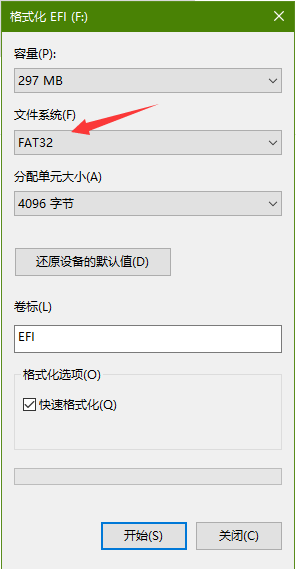
- 把MiroSD卡格式化为FAT32;
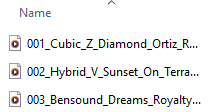
- 按照以下文件夹结构,文件夹名称,音乐文件名称要求,存储好要播放的音乐文件;
01/
001xxx.mp3
002xxx.mp3
003xxx.mp3
02/
004xxx.mp3
005xxx.mp3
03/
006xxx.mp3
007xxx.mp3
008xxx.mp3
文件夹的名称必须由两位数字组成,而每首歌曲的名称则必须以三位数字开头。此外,每首歌曲的名称都必须是唯一的。请注意:最多可以创建99个文件夹,每个文件夹中可存放255首歌曲。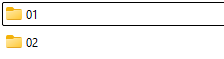
ESP32 Arduino驱动程序
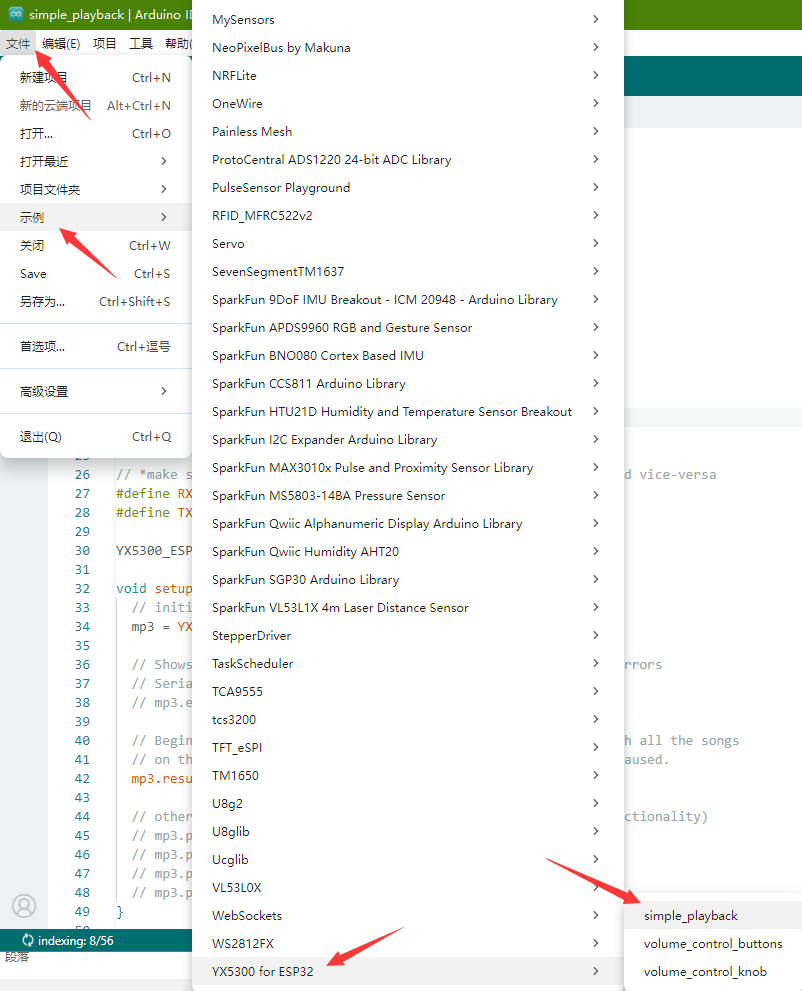
Arduino IDE中安装YX5300驱动库,打开示例程序,上传到ESP32开发板中,YX5300插好3.5mm有线耳机或有源音箱3.5mm线。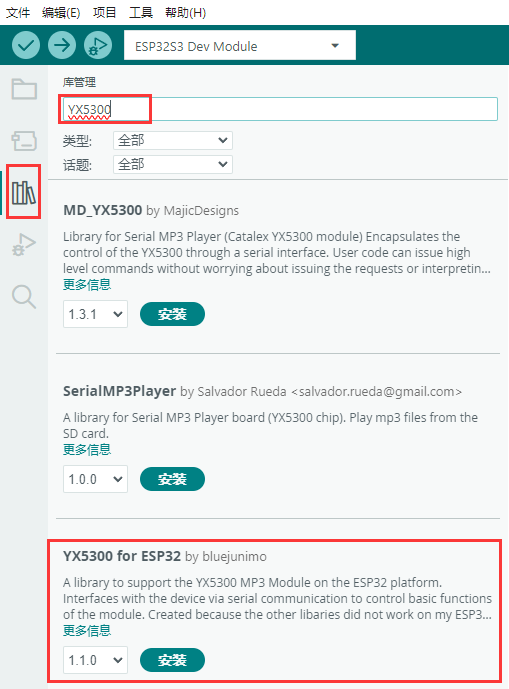
#include < YX5300_ESP32.h >

// *make sure the RX on the YX5300 goes to the TX on the ESP32, and vice-versa
#define RX 16
#define TX 17

YX5300_ESP32 mp3; // the mp3 object

void setup() {
  // initialize connection with the module
  mp3 = YX5300_ESP32(Serial2, RX, TX);

  // Shows whats being sent to and from the device, with helpful errors
  // Serial.begin(115200);
  // mp3.enableDebugging();

  // Begins playing from 001.mp3/wav and continuously loops through all the songs
  // on the SD card ONLY if there is no track already playing or paused.
  mp3.resume();

  // other ways to begin playing tracks (see documentation for functionality)
  // mp3.playTrack(1);
  // mp3.playTrackInLoop(1);
  // mp3.playFolderInLoop(1);
  // mp3.playTrackInFolder(1, 1);
}

void loop() {
  // put your main code here, to run repeatedly:

}
总结
通过以上实验,我们了解到YX5300串口MP3音乐播放模块在ESP32中的简单应用,当然也可以直接与USB转TTL串口模块接好线,串口助手软件发送相关控制指令,对MicroSD卡中的音乐文件进行播放控制。
审核编辑 黄宇
声明:本文内容及配图由入驻作者撰写或者入驻合作网站授权转载。文章观点仅代表作者本人,不代表电子发烧友网立场。文章及其配图仅供工程师学习之用,如有内容侵权或者其他违规问题,请联系本站处理。
举报投诉
-
ESP32蓝牙驱动MAX98357对音频音乐播放2025-12-19 4196
-
ESP32-PICO-V3-02实现MP3播放遇到的几个疑问求解2024-06-28 1050
-
【核桃派1B 开发板试用体验】+串口及MP3音乐播放控制篇2024-01-05 3231
-
mp3语音芯片YX6300-24QS使用说明书V12023-09-01 1080
-
ESP32-PICO-V3-02实现MP3播放若干问题求解2023-03-10 676
-
Arduino Uno与ESP32串口通信2023-02-03 3342
-
Arduino按键控制MP3模块随机播放音乐的方法2022-02-15 2664
-
Arduino按键控制MP3模块随机播放音乐(YX5300 MP3音乐模块)2021-12-16 2823
-
基于单片机mp3音乐播放器设计2021-12-04 2142
-
MP3串口模块部件的应用程序详细资料免费下载2018-08-22 1262
-
Embedded的MP3音乐播放器的设计与实现2012-05-09 1738
-
MP3语音模块,MP3模块,语音模块,MP3音乐模块,串口MP3模块2012-04-12 4113
-
基于ARM的MP3播放器设计与实现2011-10-09 5128
-
MP3播放器音乐格式有哪些?2009-12-21 9440
全部0条评论

快来发表一下你的评论吧 !
