


STM32项目分享:智能语音三色灯
描述
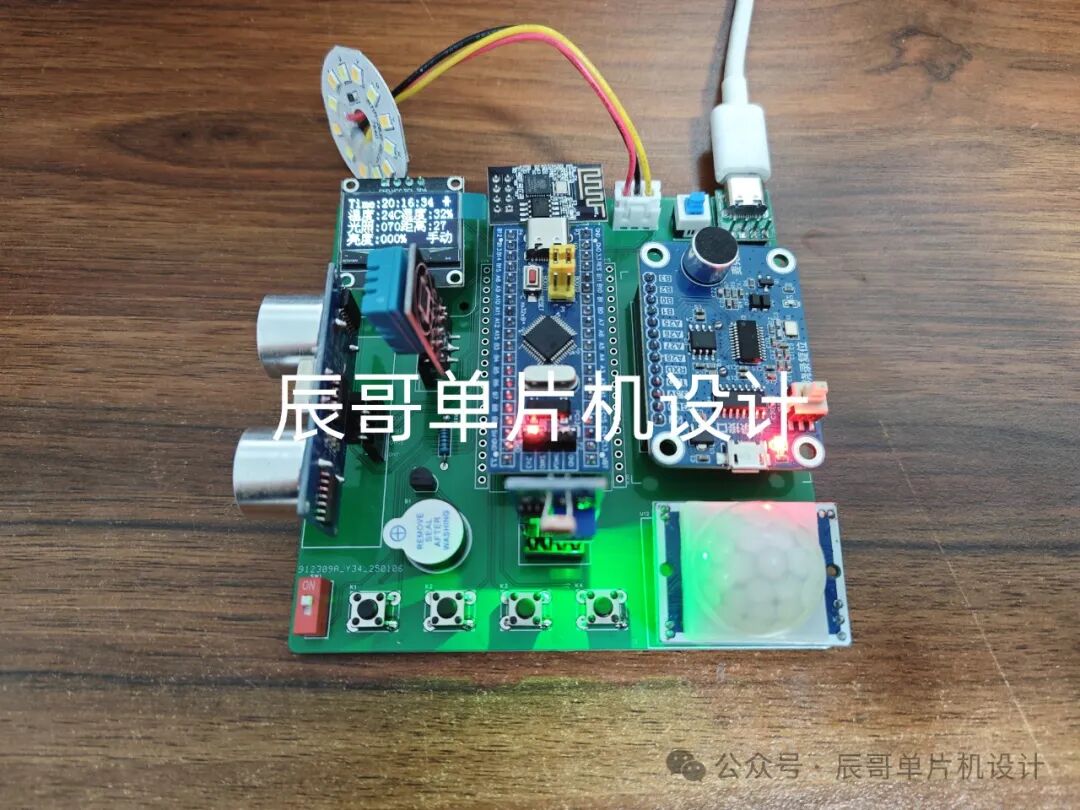
项目成品图片:
01
—
项目简介
1.功能详解
STM32智能语音三色灯
功能如下:
检测功能:系统检测周围 温湿度数据、距离、人体信号、光照强度。
显示功能:将检测到的数据显示在oled屏幕上。
控制功能:系统可以通过PWM对其进行亮度和冷光、暖光、中性光的调节。
手动模式:通过按键控制台灯的亮度。
自动模式:当环境亮度低于阈值,并且有人时,会自动调节台灯亮度;
语音控制:通过语音指令可以控制LED灯的开启,以及亮度调节和冷暖光调节和系统模式切换等;
定时提醒:用户可以设置提醒时间,当到达时间后蜂鸣器会进行提醒。
护眼功能:当系统检测到人距离台灯过近时蜂鸣器报警。
阈值调节:系统传感器阈值大小可以通过按键或者APP自行设置调节。
接入云平台:系统通过ESP8266 WIFI模块连接网络,接入机智云服务器。
远程控制:可以通过APP查看传感器数据,以及远程控制台灯、远程调节阈值。
2.材料清单
STM32F103C8T6单片机
OLED 屏幕
DHT11温湿度传感器
HC-SR501人体红外传感器
光敏传感器
HC-SR04超声波传感器
SNR8016语音模块
有源蜂鸣器
三色灯板
ESP8266-01S(WIFI模块)
02
—
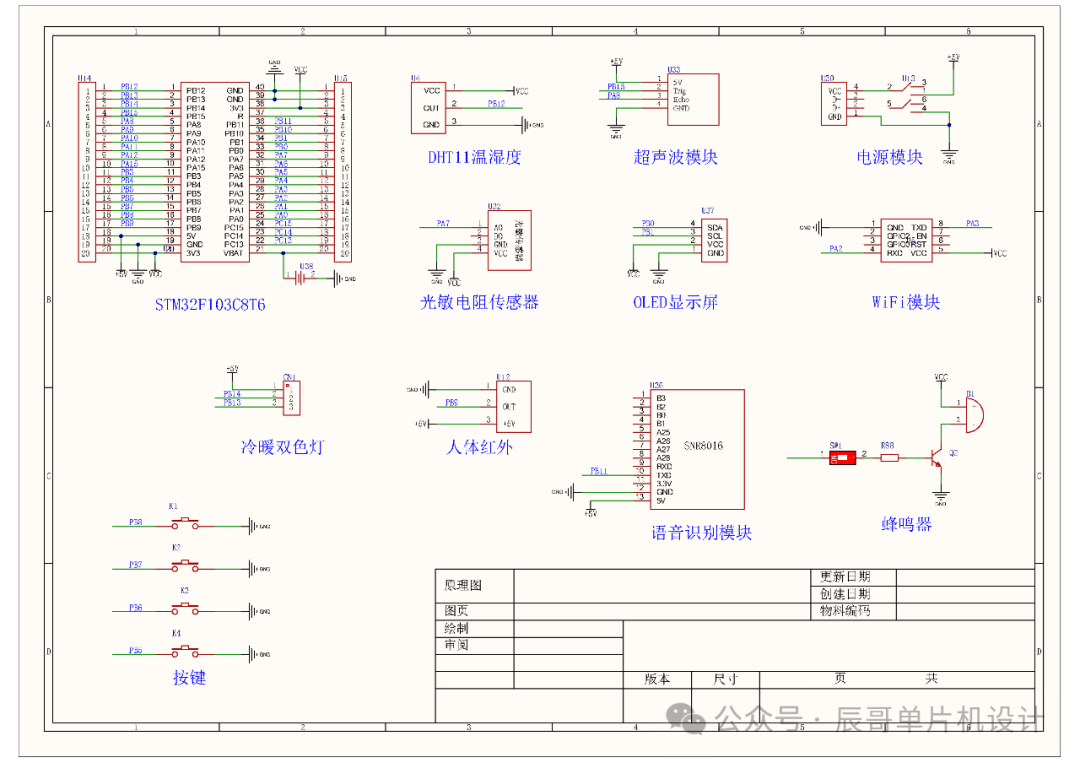
原理图设计
03
—
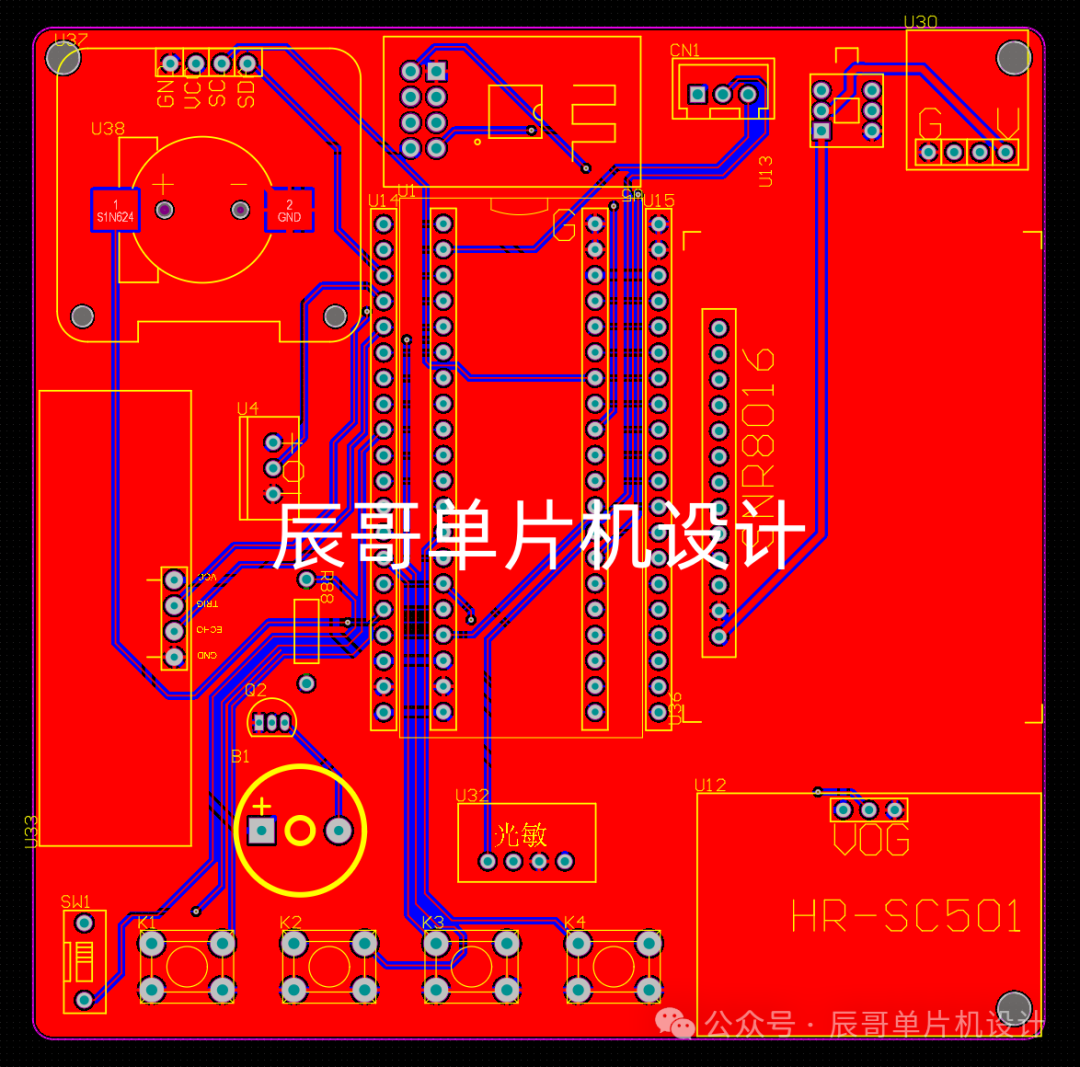
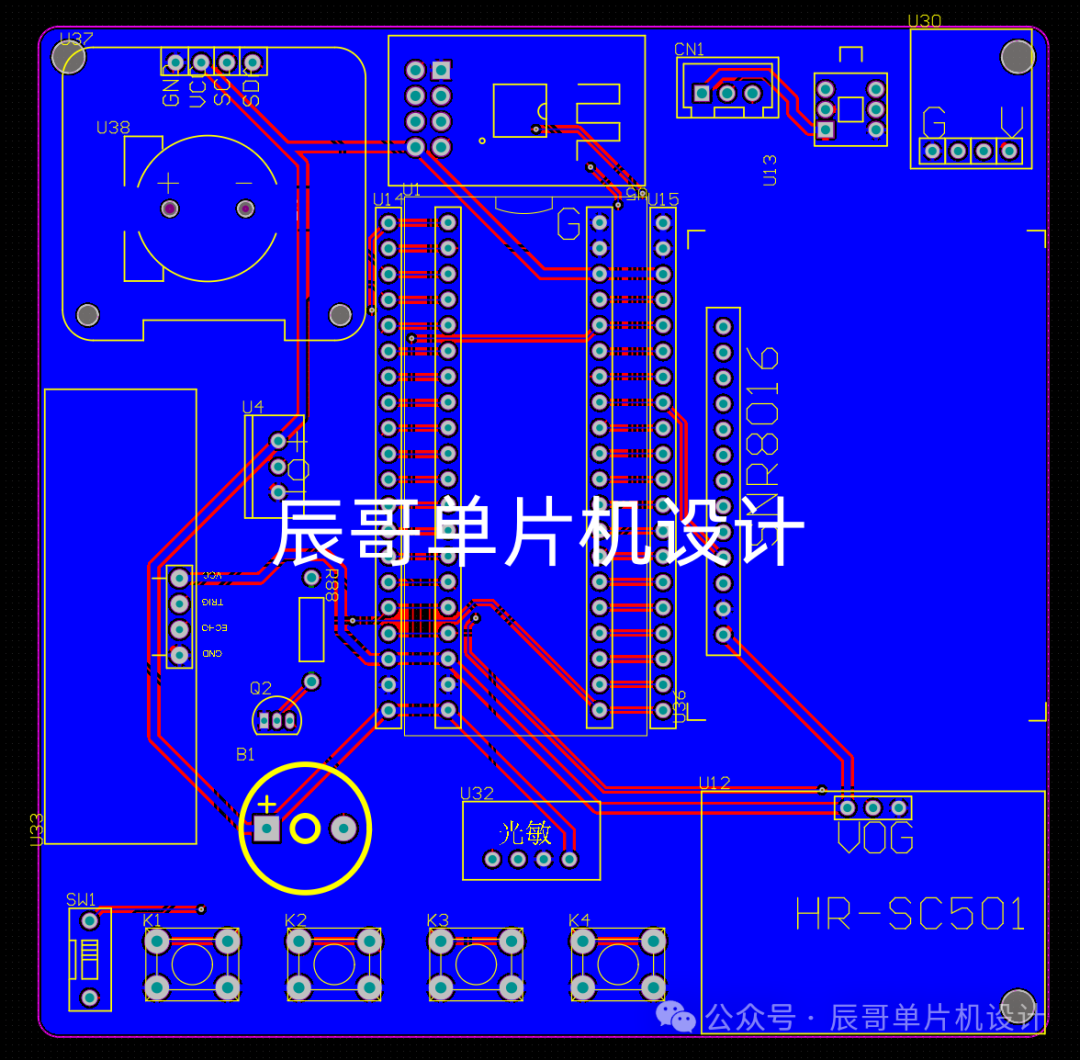
PCB硬件设计
PCB图
04
—
程序设计
#include "stm32f10x.h" // Device header#include "adcx.h"#include "ldr.h"#include "oled.h"#include "dht11.h"#include "pwm.h"#include "led.h"#include "key.h"#include "tim2.h" #include "tim3.h" #include "hc_sr501.h"#include "hc_sr04.h"#include "sensormodules.h"#include "usart.h"#include "gizwits_product.h"#include "myrtc.h"#include "flash.h"#include "iwdg.h"#include "usart3.h"
#define KEY_Long111
#define KEY_11#define KEY_22#define KEY_33#define KEY_44
#define FLASH_START_ADDR0x0801f000//写入的起始地址
uint8_t hc501;//存储人体信号uint8_t systemModel = 0;//存储系统当前模式
uint8_t hour,minute,second;//时 分 秒uint8_t menu = 1;//显示菜单变量uint8_t gizwitsModeFlag;// 配网标志位
SensorModules sensorData;//声明传感器数据结构体变量SensorThresholdValue Sensorthreshold;//声明传感器阈值结构体变量
int main(void){Buzzer_Init();LDR_Init();OLED_Init();DHT11_Init();Key_Init();HC_SR501_Init();HC_SR04_Init();
ADCX_Init();PWM_Init(100 - 1, 720 - 1);Timer2_Init(9,14398);Uart2_Init(9600);Uart1_Init(115200);IWDG_Init();//初始化看门狗Uart3_Init();
MyRTC_Init();LED_Init();
Sensorthreshold.Illumination_threshold = FLASH_R(FLASH_START_ADDR);//从指定页的地址读FLASHSensorthreshold.Distance_threshold = FLASH_R(FLASH_START_ADDR+2);//从指定页的地址读FLASHSensorthreshold.timing = FLASH_R(FLASH_START_ADDR+4);//从指定页的地址读FLASH
GENERAL_TIM_Init();userInit();//完成机智云初始赋值gizwitsInit();//开辟一个环形缓冲区
Delay_ms(1000);//scanGizwitsModeKey();gizwitsSetMode(WIFI_AIRLINK_MODE);Delay_ms(1000);while (1){ IWDG_ReloadCounter(); //重新加载计数值 喂狗sensorScan();//获取传感器数据SNR8016();//执行语音指令
switch (menu){case display_page:
MyRTC_ReadTime();//调用此函数后,RTC硬件电路里时间值将刷新到全局数组OLED_Menu_SensorData();//显示主页面传感器数据、系统模式等内容OLED_Menu();//显示主页面的固定内容TimingAlarm();if (!systemModel){LED_PWM_KEY();//按键控制LED的PWM}
//切换系统模式if (KeyNum == KEY_1){KeyNum = 0;systemModel = ~systemModel;if (systemModel){currentDataPoint.valueModel = 1;ledDutyRatio = 0;TIM_SetCompare1(TIM1, ledDutyRatio);
}else{currentDataPoint.valueModel = 0;ledDutyRatio = 0;TIM_SetCompare1(TIM1, ledDutyRatio);Buzzer_OFF();}}
//判断是否进入阈值设置界面if (KeyNum == KEY_Long1){KeyNum = 0;OLED_Clear();//清屏menu = settingsPage;//跳转到阈值设置界面}break;
case settingsPage:OLED_SetInterfacevoid();//显示阈值设置界面的固定内容OLED_Option(SetSelection());//实现阈值设置页面的选择功能ThresholdModification(SetSelection());//实现阈值调节功能
//判断是否退出阈值设置界面if (KeyNum == KEY_2){KeyNum = 0;OLED_Clear();//清屏menu = display_page;//跳转到主界面
//存储修改的传感器阈值至flash内FLASH_W(FLASH_START_ADDR, Sensorthreshold.Illumination_threshold, Sensorthreshold.Distance_threshold,Sensorthreshold.timing);
currentDataPoint.valueIllumination_threshold = Sensorthreshold.Illumination_threshold;currentDataPoint.valueDistance_threshold = Sensorthreshold.Distance_threshold;currentDataPoint.valuetiming = Sensorthreshold.timing;}break;
case timeSettingsPage:OLED_ThresholdTime();//显示时间设置界面的内容OLED_Time_Option(SetTimeSelection());//实现间设置界面的选择功能TimeModification(SetTimeSelection());//实现时间调节功能
//判断是否退出时间设置界面if (KeyNum == KEY_2){KeyNum = 0;//将更改的数据赋值回RTC数组中MyRTC_Time[3] = hour;MyRTC_Time[4] = minute;MyRTC_Time[5] = second;MyRTC_SetTime();//调用此函数后,全局数组里时间值将刷新到RTC硬件电路
OLED_Clear();//清屏menu = settingsPage;//回到阈值设置界面}break;
case gizwitsMode:if (gizwitsModeFlag == 1){//显示“热点配网”OLED_ShowChinese(2,3,38);OLED_ShowChinese(2,4,39);OLED_ShowChinese(2,5,40);OLED_ShowChinese(2,6,41);}else if (gizwitsModeFlag == 2){//显示“一键配网”OLED_ShowChinese(2,3,34);OLED_ShowChinese(2,4,35);OLED_ShowChinese(2,5,36);OLED_ShowChinese(2,6,37);}if (!gizwitsModeFlag){KeyNum = 0;OLED_Clear();menu = display_page;}break;
default:break;}
//判断上位机是否更改阈值,如更改则保存至flash中if (valueFlashflag){valueFlashflag = 0;//存储修改的传感器阈值至flash内FLASH_W(FLASH_START_ADDR, Sensorthreshold.Illumination_threshold, Sensorthreshold.Distance_threshold,Sensorthreshold.timing);}
userHandle();//更新机智云数据点变量存储的值gizwitsHandle((dataPoint_t *)¤tDataPoint);//数据上传至机智云}}
05
—
实验效果
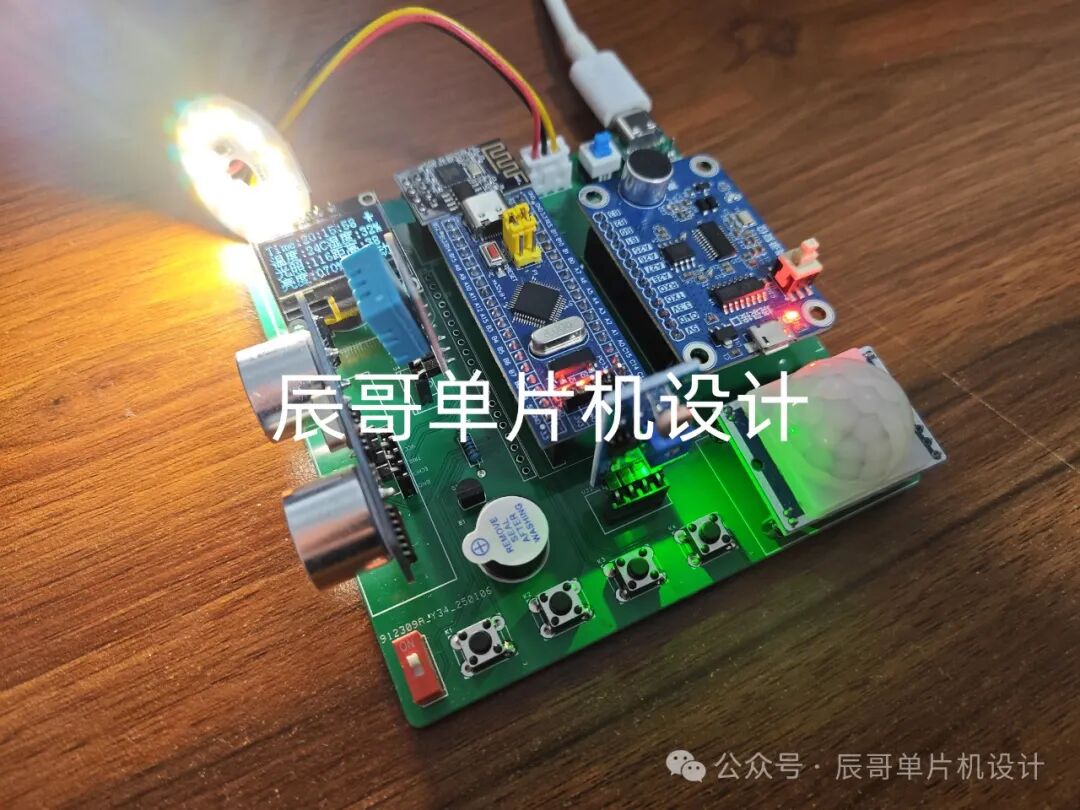
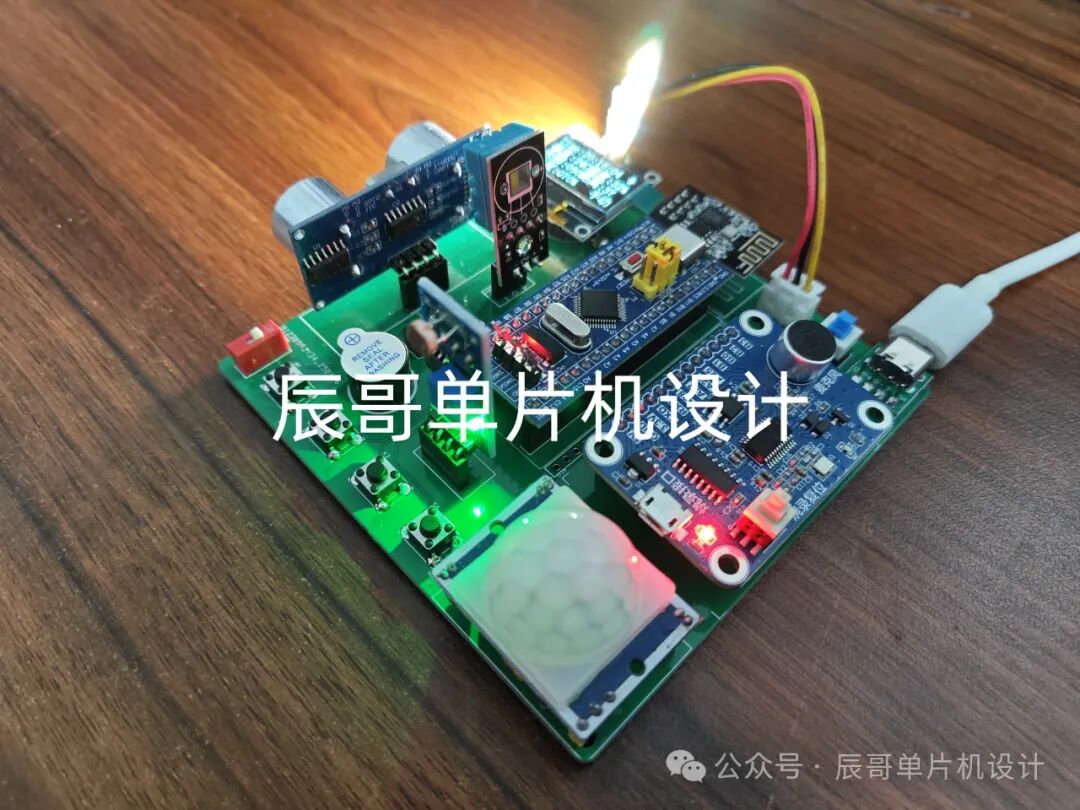
-
无线控制RGB三色灯系统2013-11-15 4708
-
【GoKit申请】温度湿度三色指示灯2015-04-28 2017
-
【Tisan物联网试用体验】Tisan IOT开发板 三色灯试验2015-11-25 4924
-
【Tisan物联网试用体验】+三色灯实验2015-11-30 9000
-
PWM 三色灯的问题2016-01-21 7475
-
请问HETDIR寄存器的置为0x08110034时,板子上的三色灯是该亮起么?那个三色灯亮起呈粉色是什么情况?是正常的么?2018-05-25 2348
-
labview做的LED三色灯2018-09-13 9570
-
微信小程序连接onenet远程控制RGB三色灯2019-10-25 8888
-
如何用三个PWM去控制三色灯呢2021-11-29 3656
-
【Start_DSC28034PNT湖人开发板免费体验】DSC28034PNT-基于定时器和PWM输出三色灯2023-07-31 1153
-
RGB三色灯的原理2016-01-18 11605
-
ESP8266_app控制三色灯sdk以及app源码2016-05-06 4137
-
设备三色灯的特点2021-11-09 3773
-
基于RVB2601开发板的RGB三色呼吸灯及按键防抖2023-09-19 1859
-
设备启停与三色灯FB块2025-05-19 1254
全部0条评论

快来发表一下你的评论吧 !
