


新闻系统源代码
新闻列表
-
{% for article in articles %}
- {{ article.title }} - {{ article.publish_date }} {% endfor %}
{{ article.title }}
作者: {{ article.author.username }} | 发布时间: {{ article.publish_date }}
分类: {{ article.category.name }}
{{ category.name }}分类下的新闻
-
{% for article in articles %}
- {{ article.title }} - {{ article.publish_date }} {% endfor %}
以下是一个基于 Python 和 Django 框架的简单新闻系统源代码示例,包含核心功能(新闻发布、展示、分类):
文件结构
news_system/
├── news_app/
│   ├── migrations/
│   ├── templates/
│   │   └── news/
│   │       ├── list.html
│   │       └── detail.html
│   ├── admin.py
│   ├── apps.py
│   ├── models.py
│   ├── urls.py
│   └── views.py
├── news_system/
│   ├── settings.py
│   ├── urls.py
│   └── wsgi.py
└── manage.py
核心代码
1. 模型定义 (news_app/models.py)
from django.db import models
from django.contrib.auth.models import User
from django.utils import timezone

class Category(models.Model):
    name = models.CharField(max_length=100, unique=True)

    def __str__(self):
        return self.name

class Article(models.Model):
    title = models.CharField(max_length=200)
    content = models.TextField()
    author = models.ForeignKey(User, on_delete=models.CASCADE)
    category = models.ForeignKey(Category, on_delete=models.SET_NULL, null=True)
    publish_date = models.DateTimeField(default=timezone.now)
    is_published = models.BooleanField(default=True)
    image = models.ImageField(upload_to='news_images/', blank=True, null=True)

    def __str__(self):
        return self.title
2. 后台管理 (news_app/admin.py)
from django.contrib import admin
from .models import Article, Category

@admin.register(Article)
class ArticleAdmin(admin.ModelAdmin):
    list_display = ('title', 'author', 'publish_date', 'category')
    search_fields = ('title', 'content')
    list_filter = ('category', 'publish_date')

@admin.register(Category)
class CategoryAdmin(admin.ModelAdmin):
    list_display = ('name',)
3. 视图逻辑 (news_app/views.py)
from django.shortcuts import render, get_object_or_404
from .models import Article, Category

def article_list(request):
    articles = Article.objects.filter(is_published=True).order_by('-publish_date')
    categories = Category.objects.all()
    return render(request, 'news/list.html', {
        'articles': articles,
        'categories': categories
    })

def article_detail(request, article_id):
    article = get_object_or_404(Article, id=article_id, is_published=True)
    return render(request, 'news/detail.html', {'article': article})

def category_articles(request, category_id):
    category = get_object_or_404(Category, id=category_id)
    articles = Article.objects.filter(category=category, is_published=True)
    return render(request, 'news/list.html', {
        'articles': articles,
        'current_category': category
    })
4. URL路由 (news_app/urls.py)
from django.urls import path
from . import views

urlpatterns = [
    path('', views.article_list, name='news_list'),
    path('article/<int:article_id>/', views.article_detail, name='article_detail'),
    path('category/<int:category_id>/', views.category_articles, name='category_articles'),
]
5. 主路由 (news_system/urls.py)
from django.contrib import admin
from django.urls import path, include

urlpatterns = [
    path('admin/', admin.site.urls),
    path('news/', include('news_app.urls')),
]
6. 模板文件 (templates/news/list.html)
<!DOCTYPE html>
<html>
<head>
    <title>新闻列表</title>
</head>
<body>
    <h1>新闻系统</h1>

    <div class="categories">
        <strong>分类:</strong>
        <a href="{% url 'news_list' %}">全部</a>
        {% for cat in categories %}
            <a href="{% url 'category_articles' cat.id %}">{{ cat.name }}</a>
        {% endfor %}
    </div>

    <div class="articles">
        {% for article in articles %}
            <div class="article">
                <h2><a href="{% url 'article_detail' article.id %}">{{ article.title }}</a></h2>
                <p>作者: {{ article.author.username }} | 日期: {{ article.publish_date|date:"Y-m-d" }}</p>
                <p>{{ article.content|truncatechars:100 }}</p>
                {% if article.image %}
                    <img src="{{ article.image.url }}" height="100">
                {% endif %}
            </div>
        {% endfor %}
    </div>
</body>
</html>
7. 模板文件 (templates/news/detail.html)
<!DOCTYPE html>
<html>
<head>
    <title>{{ article.title }}</title>
</head>
<body>
    <h1>{{ article.title }}</h1>
    <p>作者: {{ article.author.username }} | 日期: {{ article.publish_date|date:"Y-m-d H:i" }}</p>
    <p>分类: {{ article.category.name }}</p>

    {% if article.image %}
        <img src="{{ article.image.url }}" width="500">
    {% endif %}

    <div class="content">
        {{ article.content|linebreaks }}
    </div>

    <a href="{% url 'news_list' %}">返回列表</a>
</body>
</html>
系统功能说明
- 新闻管理:通过Django后台管理新闻的增删改查
- 分类系统:支持新闻分类管理
- 发布控制:
is_published字段控制是否发布 - 图片上传:支持新闻配图
- 前端展示:
- 新闻列表页(按时间倒序)
- 分类过滤功能
- 新闻详情页
运行步骤
- 安装依赖:
pip install django pillow - 创建数据库:
python manage.py migrate - 创建管理员:
python manage.py createsuperuser - 运行:
python manage.py runserver - 访问:
注意:实际部署需配置数据库(MySQL/PostgreSQL)、静态文件处理、安全设置等。此为基础教学示例,生产环境需要进一步优化。
【开源鸿蒙】下载OpenHarmony 4.1 Release源代码
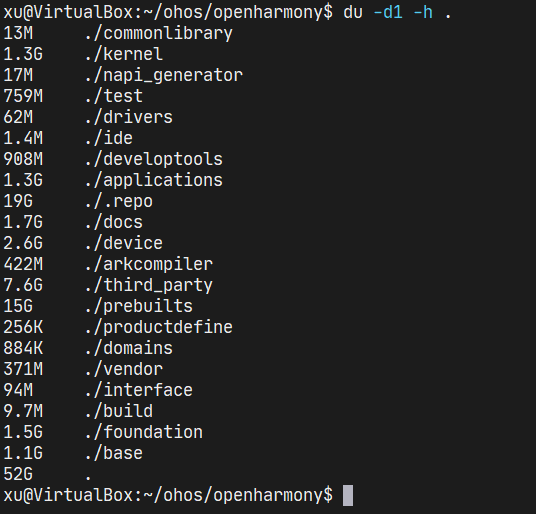
本文介绍了如何下载开源鸿蒙(OpenHarmony)操作系统 4.1 Release版本的源代码,该方法同样可以用于下载OpenHarmony最新开发版本(master分支)或者4.0 Release、3.2 Rel
2024-04-27 23:16:33
为什么安秉信息的源代码防泄密软件这么稳定?

现在很多研发性企业都会意识到企业的源代码文件需要防泄密保护,现在很多企业对于源代码只是用了git或svn版本管理服务器进行了简单的代码统一管控。
2023-12-05 10:21:37


Twitter源代码泄露
两位了解内部调查情况的人士表示,Twitter 对源代码泄露事件展开了调查,处理此事的高管推测,负责此事的人去年离开了这家总部位于旧金山的公司。此外,这些高管最近才知道源代码泄露。他们表示,其中一个担忧是该
2023-03-28 10:49:33
如何通过cmm命令设置调试映像源代码路径
当使用Codeviser调试系统映像文件时,经常遇到映像编译使用的源代码路径和调试时使用的源代码路径不一致的情况,调试这样的映像时,经常会发生找
2022-11-15 11:07:36

鸿蒙操作系统开源代码
近日,华为技术有限公司消费总裁余承东先生公开表示道:“2021年鸿蒙操作系统源代码全面开源,即将覆盖手机、平板、车机、智慧屏及各类IoT智能设备。”
2021-06-02 14:28:24
 换一换
换一换
- 如何分清usb-c和type-c的区别
- 中国芯片现状怎样?芯片发展分析
- vga接口接线图及vga接口定义
- 芯片的工作原理是什么?
- 华为harmonyos是什么意思,看懂鸿蒙OS系统!
- 什么是蓝牙?它的主要作用是什么?
- ssd是什么意思
- 汽车电子包含哪些领域?
- TWS蓝牙耳机是什么意思?你真的了解吗
- 什么是单片机?有什么用?
- 升压电路图汇总解析
- plc的工作原理是什么?
- 再次免费公开一肖一吗
- 充电桩一般是如何收费的?有哪些收费标准?
- ADC是什么?高精度ADC是什么意思?
- EDA是什么?有什么作用?
- dtmb信号覆盖城市查询
- 苹果手机哪几个支持无线充电的?
- type-c四根线接法图解
- 华为芯片为什么受制于美国?
- 怎样挑选路由器?
- 元宇宙概念股龙头一览
- 锂电池和铅酸电池哪个好?
- 什么是场效应管?它的作用是什么?
- 如何进行编码器的正确接线?接线方法介绍
- 虚短与虚断的概念介绍及区别
- 晶振的作用是什么?
- 大疆无人机的价格贵吗?大约在什么价位?
- 苹果nfc功能怎么复制门禁卡
- 单片机和嵌入式的区别是什么
- amoled屏幕和oled区别
- 复位电路的原理及作用
- BLDC电机技术分析
- dsp是什么意思?有什么作用?
- 苹果无线充电器怎么使用?
- iphone13promax电池容量是多少毫安
- 芯片的组成材料有什么
- 特斯拉充电桩充电是如何收费的?收费标准是什么?
- 直流电机驱动电路及原理图
- 传感器常见类型有哪些?
- 自举电路图
- 通讯隔离作用
- 苹果笔记本macbookpro18款与19款区别
- 新斯的指纹芯片供哪些客户
- 伺服电机是如何进行工作的?它的原理是什么?
- 无人机价钱多少?为什么说无人机烧钱?
- 以太网VPN技术概述
- 手机nfc功能打开好还是关闭好
- 十大公认音质好的无线蓝牙耳机
- 元宇宙概念龙头股一览

湘ICP备2023036445号-105