
资料下载


CRIO9066可重构FPGA嵌入式实时控制器C系列模块

陈伟
分享资料个
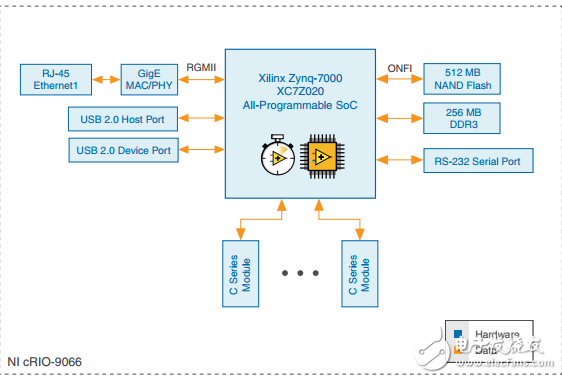
This document describes the features of the NI cRIO-9066 and contains information about mounting and operating the device. You can connect the cRIO-9066 to a host computer or network and configure the startup options using the USB device port or the RJ-45 Gigabit Ethernet port 1. Tip Refer to the getting started guide on ni.com/manuals for basic configuration instructions and information about connecting to a host computer using the USB device port. NI recommends using the USB device port for configuration, debug, and maintenance. Connecting the cRIO-9066 to the Host Computer or Network Using Ethernet Complete the following steps to connect the cRIO-9066 to a host computer or Ethernet network using the RJ-45 Gigabit Ethernet port 1. NI recommends using the RJ-45 Gigabit Ethernet port 1 for communication with deployed systems. 1. Power on the host computer or Ethernet hub. 2. Connect the RJ-45 Gigabit Ethernet port 1 on the cRIO-9066 to the host computer or Ethernet hub using a standard Category 5 (CAT-5) or better shielded, twisted-pair Ethernet cable.
声明:本文内容及配图由入驻作者撰写或者入驻合作网站授权转载。文章观点仅代表作者本人,不代表电子发烧友网立场。文章及其配图仅供工程师学习之用,如有内容侵权或者其他违规问题,请联系本站处理。 举报投诉
- 相关下载
- 相关文章




